Security and moderation · · 3 min read
Last seen in Malta Living: who sees it, and how to hide it
Writing to someone who isn't coming back is a lonely feeling, and in an online game it happens a lot: people try it for a week and move on. So Messages now tells you when the person you're writing to hasn't been around for a while. We built it with last seen privacy first, because "when was this person last online" is exactly the kind of detail that shouldn't be shown to just anyone. Here's what it shows, who can see it, and how to turn it off.
What it shows
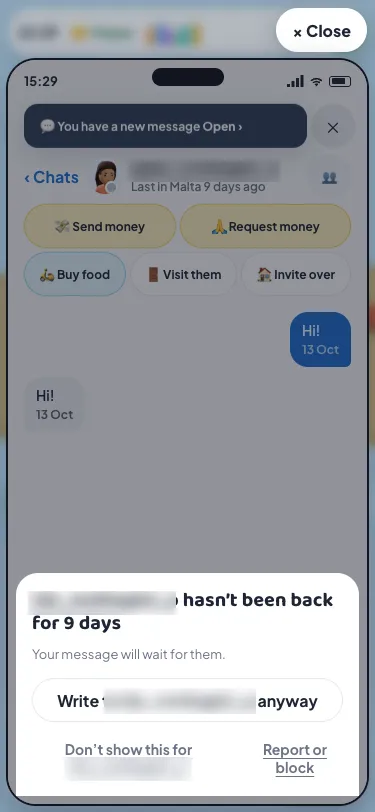
When someone hasn't been in Malta for 3 days or more, a 1:1 chat with them says so: "Last in Malta 9 days ago", with a grey dot on their face. It's always in whole days, never the time they left, and nothing at all shows for anyone who's been on in the last three days.
When you start typing to them, Messages tells you once: they haven't been back for 9 days, and your message will wait for them. It suggests up to three people who are around now, in case you'd like a reply today. Then you choose:
- Write anyway sends your message as usual. Nothing is ever blocked.
- Don't show this stops the warning for that chat.
- Report or block is right there too, if the chat was one you'd rather end.
You see the warning once for each time they go quiet, not every time you type.
Who can see it
This is the part we were most careful with. Last seen shows only when all of these are true:
- It's a 1:1 chat. Groups and clubs never show it.
- You've both written in it. Opening a chat with a stranger, or one where only you have written, shows nothing. Knowing someone's username isn't enough.
- Neither of you has blocked the other. Once either person blocks, it's hidden both ways, in the chat and in the list.
- They haven't hidden it.
How to hide yours
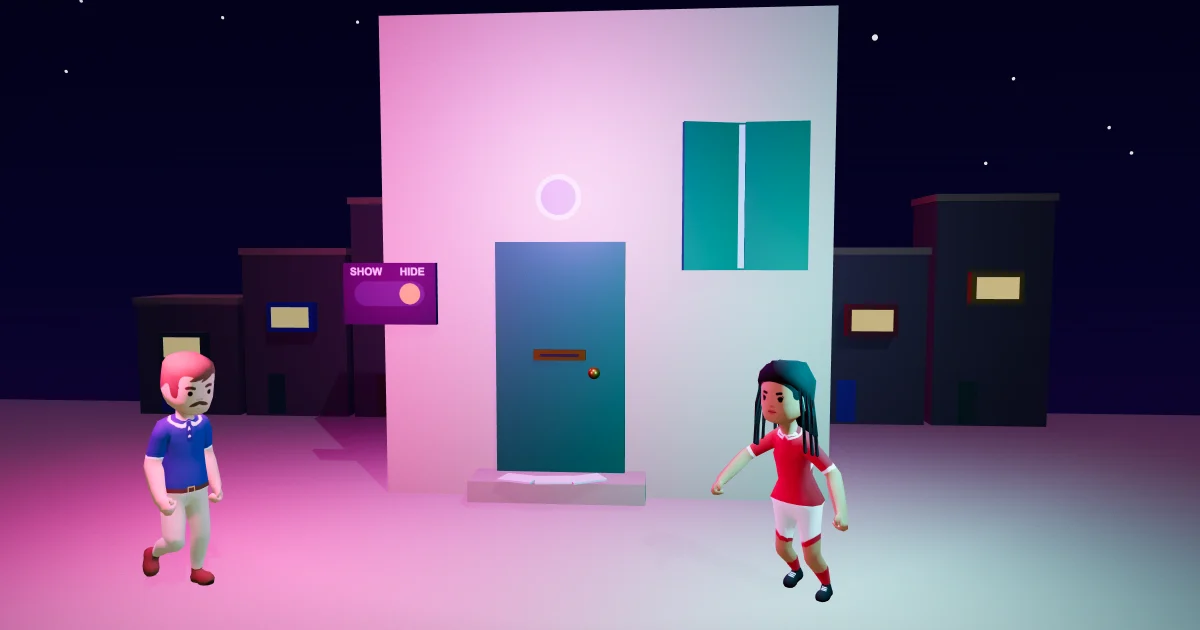
Open your profile, go to Privacy, and set Show when I was last on to Hide. Then nobody sees anything about when you were last on: no days, no grey dot, and people writing to you get no warning either. It starts on for everyone, and you can switch it back whenever you like.
Why it's built this way
We could have shown "last online 2 hours ago" to everyone, as many apps do. We chose less: days rather than times, only between people who already talk, and a switch that hides it completely. The EU's GDPR calls this data minimisation, showing only what's needed for the purpose, and the purpose here is simple: to save you writing into silence.
Our team reviewed it for privacy before it went live. The first version showed it to anyone who opened a chat with a username, and to people who had been blocked; we changed both before calling it done.
It's one part of how we look after players. The rest is in how we keep Malta Living safe, with reporting and moderators and your account and data explained in their own posts. For everything else in Messages, from Around now to clubs, see clubs, friends and Gossip.
New here? Read what Malta Living is, or play Malta Living free.
Questions people ask
Can other players see when I was last online in Malta Living?
Only people you've both written to in a 1:1 chat, only once you've been away 3 days or more, and only in days. Never in groups or clubs, and never anyone blocked.
How do I turn off last seen?
Profile → Privacy → Show when I was last on → Hide. Then nobody sees anything about when you were last on.
Will my message still be sent to someone who's gone?
Yes. The warning never stops a message: tap Write anyway and it waits for them.
Does blocking someone hide my last seen?
Yes. Once either of you blocks the other, neither sees it.