Guides · · 4 min read
One tray, three tables at Mġarr Harbour
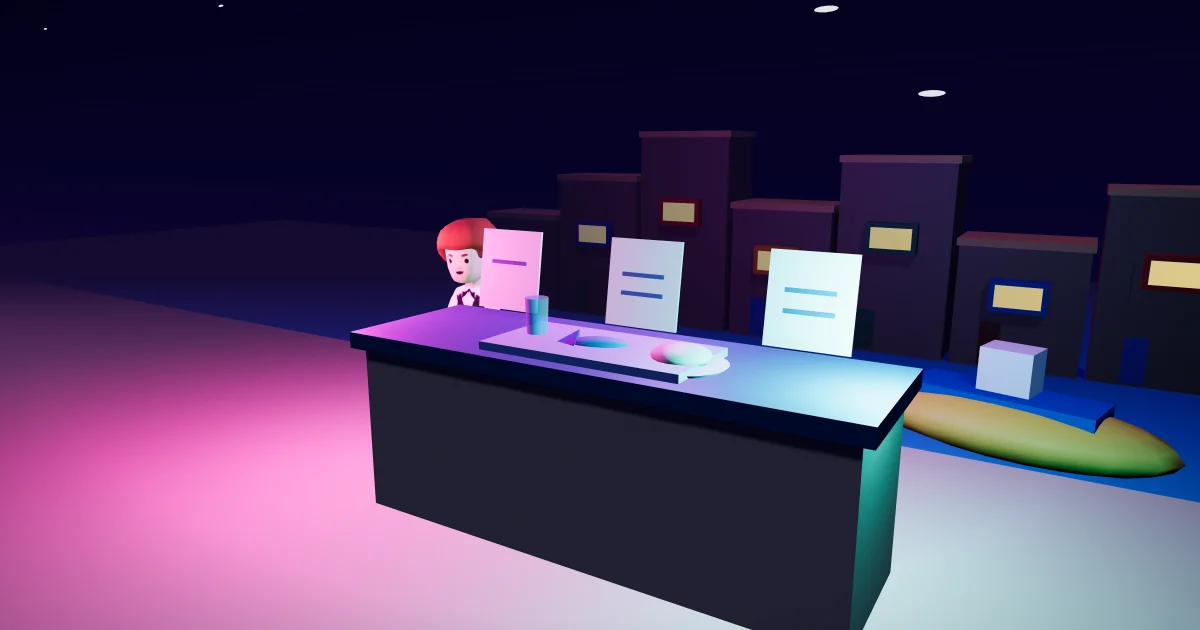
The harbour restaurant game gives you three orders and one shared tray to carry them. At Gozo · Mġarr Harbour, open The harbour restaurant and choose The harbour counter → Play order tray. Your normal shift is a separate choice. The game stays at the restaurant after your paid shift. Both choices belong to the same restaurant in Malta Living.
The harbour is a fitting place for a service round: Visit Gozo’s guide to Mġarr describes the harbour’s restaurants and fishing boats. In the game, the action stays at its existing restaurant spot. You do not need to chase customers or find a moving waiter to get started.
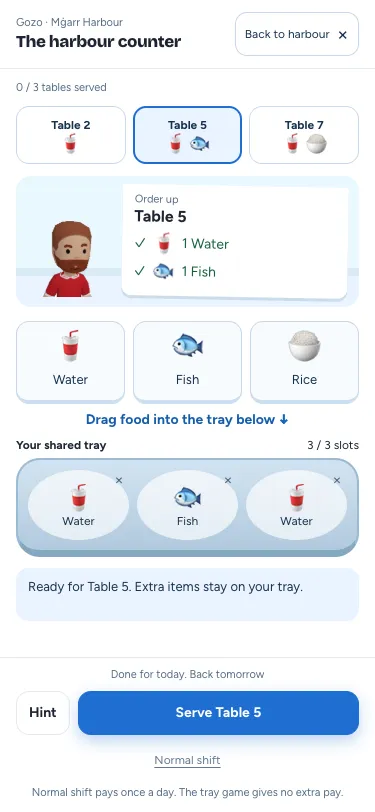
Read the tickets, then pack
The counter puts three tickets in view together, with one customer and a larger order in focus. Each ticket names a table and shows its food in pictures; the selected order also names every item in words. Water, fish and rice appear across the tickets, with a small change of arrangement when you open a fresh round. A simple first ticket introduces serving, while the other tables make the shared tray useful.
Tap a ticket to select its table. Drag a food or drink from the counter onto the tray; release over the tray to pack one portion. Tapping or clicking a food does not pack it: pick it up and move it onto the tray. The order’s checks fill as its required items arrive. The tray has three slots, so there is a small choice about what to take together. If you change your mind, tap the item on the tray to put it back. You can correct a tray as often as you need.
Serving uses the selected table’s items and leaves the extras where they are. That is the pleasant part of planning a tray: a spare water can be ready for another table. Once you have served, choose the next ticket yourself. The game does not switch the target under a second quick tap.
A useful nudge when you need it
The ticket stays readable while you pack. If something is missing, the feedback names it. If your tray is full, it tells you how to make room. Hint gives one concrete next step, including which extra item to put back when the slots are full. Hide hint folds that nudge away again.
There is no timer to race. A missed or cancelled drag leaves the tray unchanged. Tap a portion already on the tray to put it back. For a keyboard, focus a food and press Enter to pick it up, then Enter or Space on the labelled Drop control to place it. Escape cancels the pickup. Reduced motion keeps the changes immediate. The Normal shift button stays within reach even on a small phone.
Your usual shift is still there
Normal shift is available before and during the round. After the final ticket, Play again starts a fresh round with a different small ticket arrangement. Normal shift remains a separate choice when it is available. Clearing the local tray does not start work automatically, change its pay or claim that a shift has finished. The counter is a permanent game at the restaurant; it gives no extra pay.
The normal shift keeps its current duration, hours, access and once-a-Malta-day limit. Once you have worked today, its button says so; Play order tray still lets you replay for fun while the restaurant’s access and opening hours allow it. The current action card supplies its terms, and the server decides whether it can start. For the difference between an odd job and a career shift, see jobs, shifts and promotions. If you are planning the rest of your day, daily missions and earning covers the other routes already on your phone.
Leave when you like
Back to harbour closes the tray. If you have started packing, a short choice lets you keep playing or leave. The tray game gives no extra pay or skill points and saves no score. A fresh visit brings a fresh local round, and Play again gives you another without leaving the counter.
If the connection drops, reconnect when the game asks. Your tray stays where you left it until the round returns; closing or reloading still discards it. Starting the actual shift uses the game’s normal connection and retry handling. A completed local ticket never stands in for a server result. To reach the harbour in the first place, open Get around, choose Mġarr Harbour and follow the available journey.
Questions people ask
Do I have to finish the order tray before working?
No. Choose Normal shift at entry or during play whenever the usual action is available. After working, use the separate Play order tray entry to replay for fun.
What happens to extra items when I serve a table?
They stay on the shared tray. Select another ticket and use them for that table, or tap an item to put it back.
Does clearing the tray add pay or save a score?
No. The round is local play with no saved result. Only the usual shift has its normal server result and pay.
Ready to try a small service round? Play Malta Living and head to the harbour restaurant.